
Install Odysseus on Windows
No Docker · finish at localhost:7000
Quick try
Official repo + launcher script. If this works, skip the manual steps below and jump to Ollama (step 7).
git clone -b main https://github.com/pewdiepie-archdaemon/odysseus.git
cd odysseus
powershell -ExecutionPolicy Bypass -File .\launch-windows.ps1Manual steps
1. Verify Git & Python
Run both commands in PowerShell. You need Git to clone and Python 3.11+ for the manual install.
Expected: Both print version numbers. Python must be 3.11 or higher.
terminalgit --version python --versionDon't have Git? Install →Don't have Python 3.11+? Install →
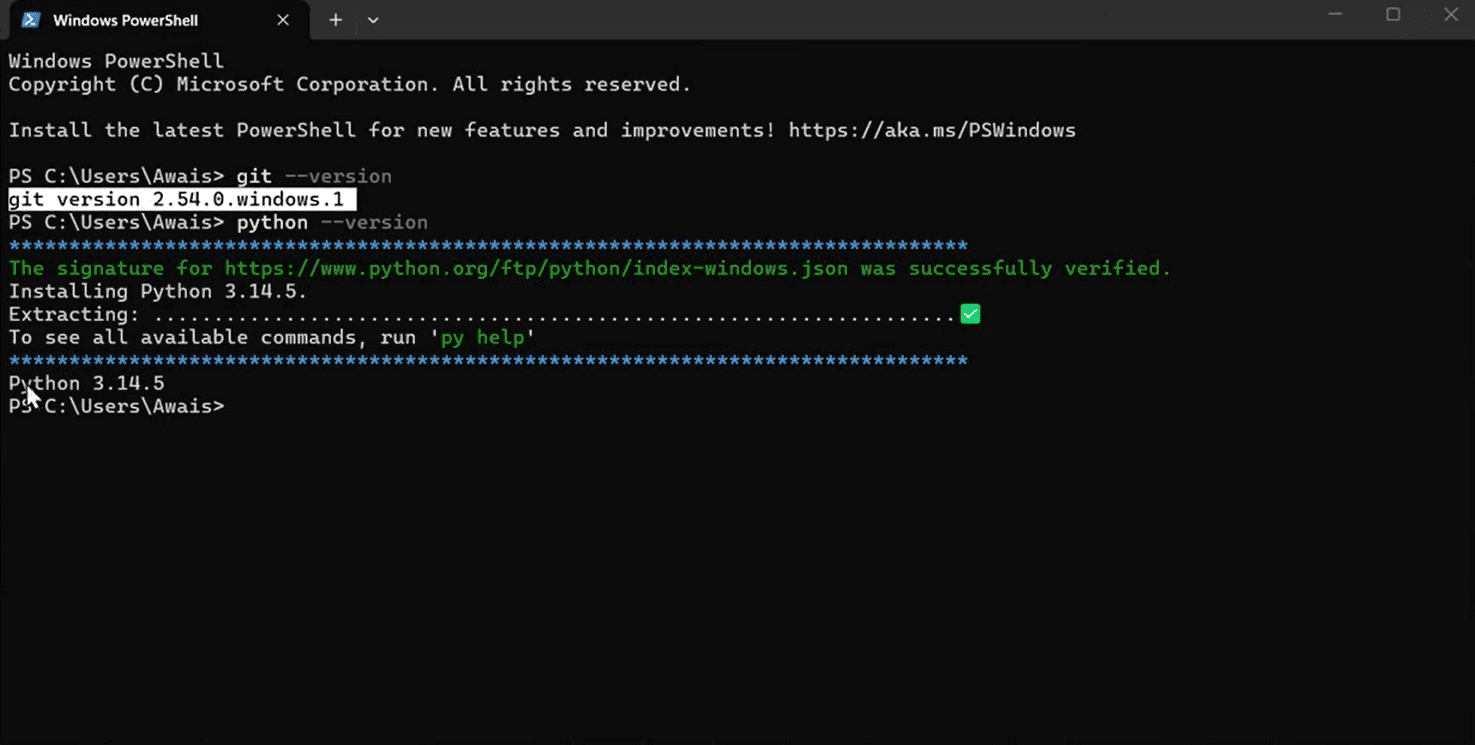
Python 3.11+ and Git for Windows PowerShell blocked the script? Run: Set-ExecutionPolicy -Scope Process -ExecutionPolicy Bypass
2. Clone the repository
Open PowerShell in an empty folder and clone the official repo.
Expected: You are inside the odysseus folder with no errors. (-b main = curated branch)
terminalgit clone -b main https://github.com/pewdiepie-archdaemon/odysseus.git cd odysseus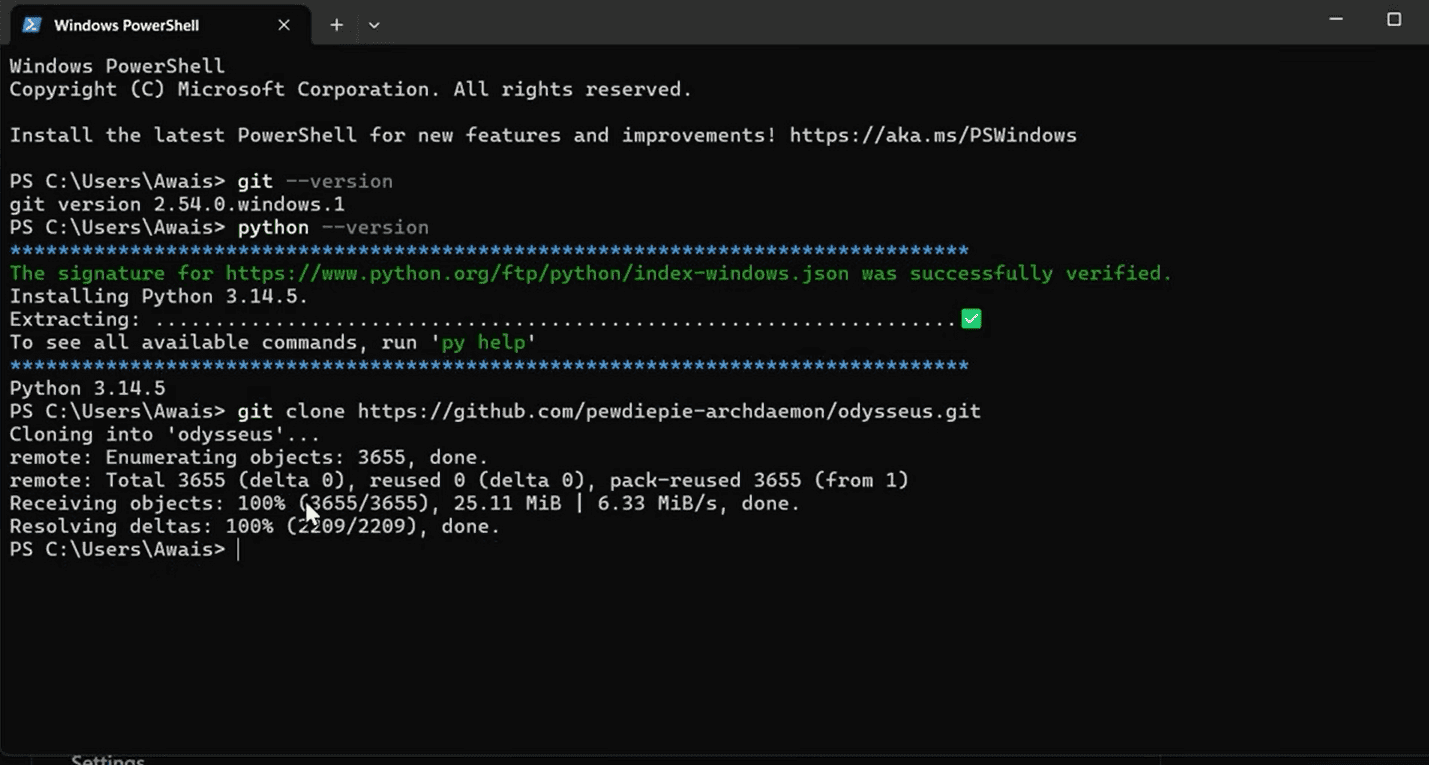
Official tip: prefer -b main. Bare clone defaults to unstable dev. Still failing? Try the Windows fork as a last resort.
3. Create venv & install packages
Requires Python 3.11+. First run can take several minutes while pip downloads dependencies.
Expected: pip finishes with no errors and (venv) appears in your prompt.
terminalpy -3.11 -m venv venv venv\Scripts\Activate.ps1 pip install -r requirements.txt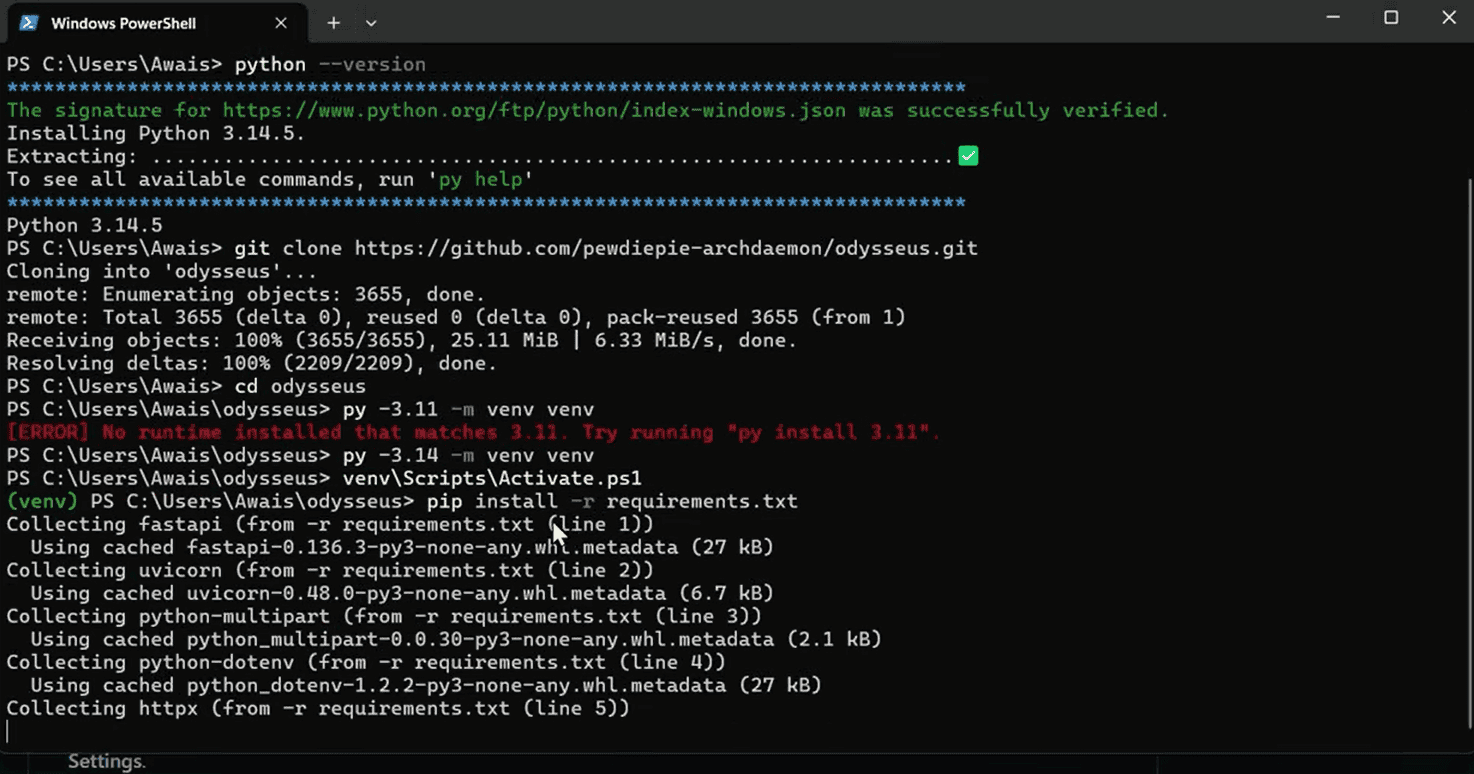
4. Run setup — copy the admin password
setup.py creates the database and an admin account. The terminal prints a temporary password — copy it before closing the window. You cannot recover it without deleting the data folder and re-running setup.
Expected: Terminal shows "Admin user created" with username admin and a temporary password.
terminalpython setup.py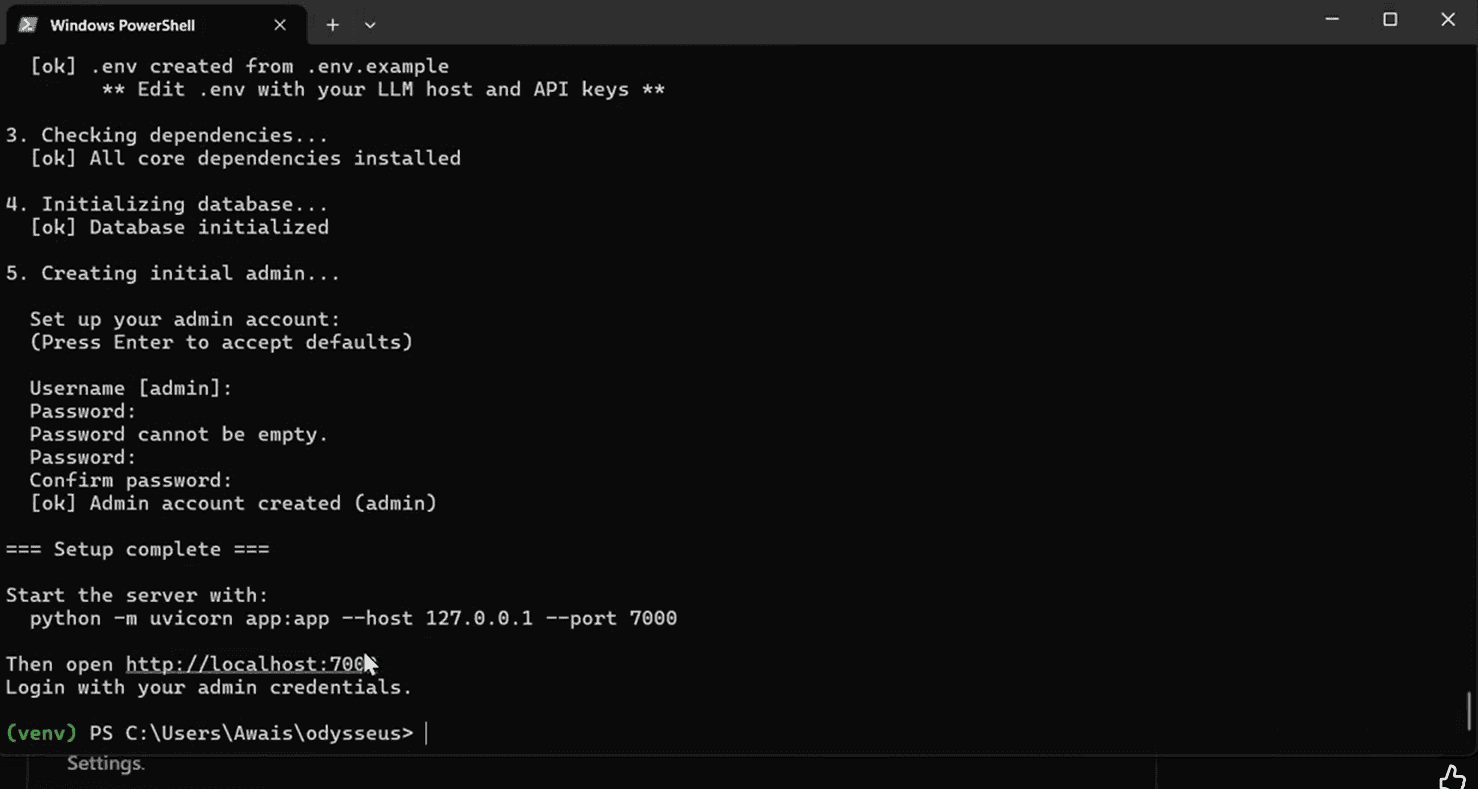
Copy this password now — you need it to log in 5. Start the server
Keep this PowerShell window open while using Odysseus.
Expected: Uvicorn running on http://127.0.0.1:7000
terminalpython -m uvicorn app:app --host 127.0.0.1 --port 7000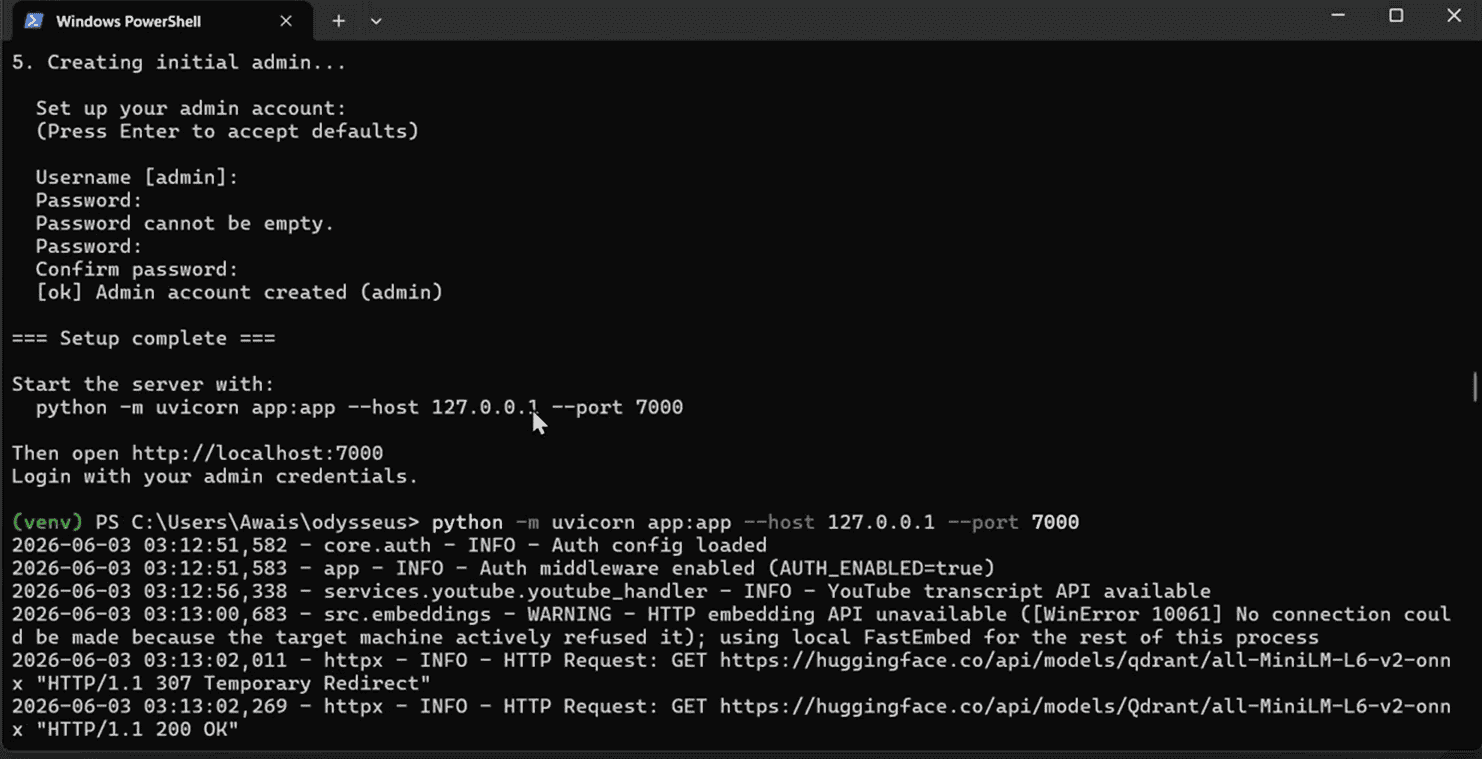
Port 7000 in use? Change to --port 8000 and open http://localhost:8000 instead.
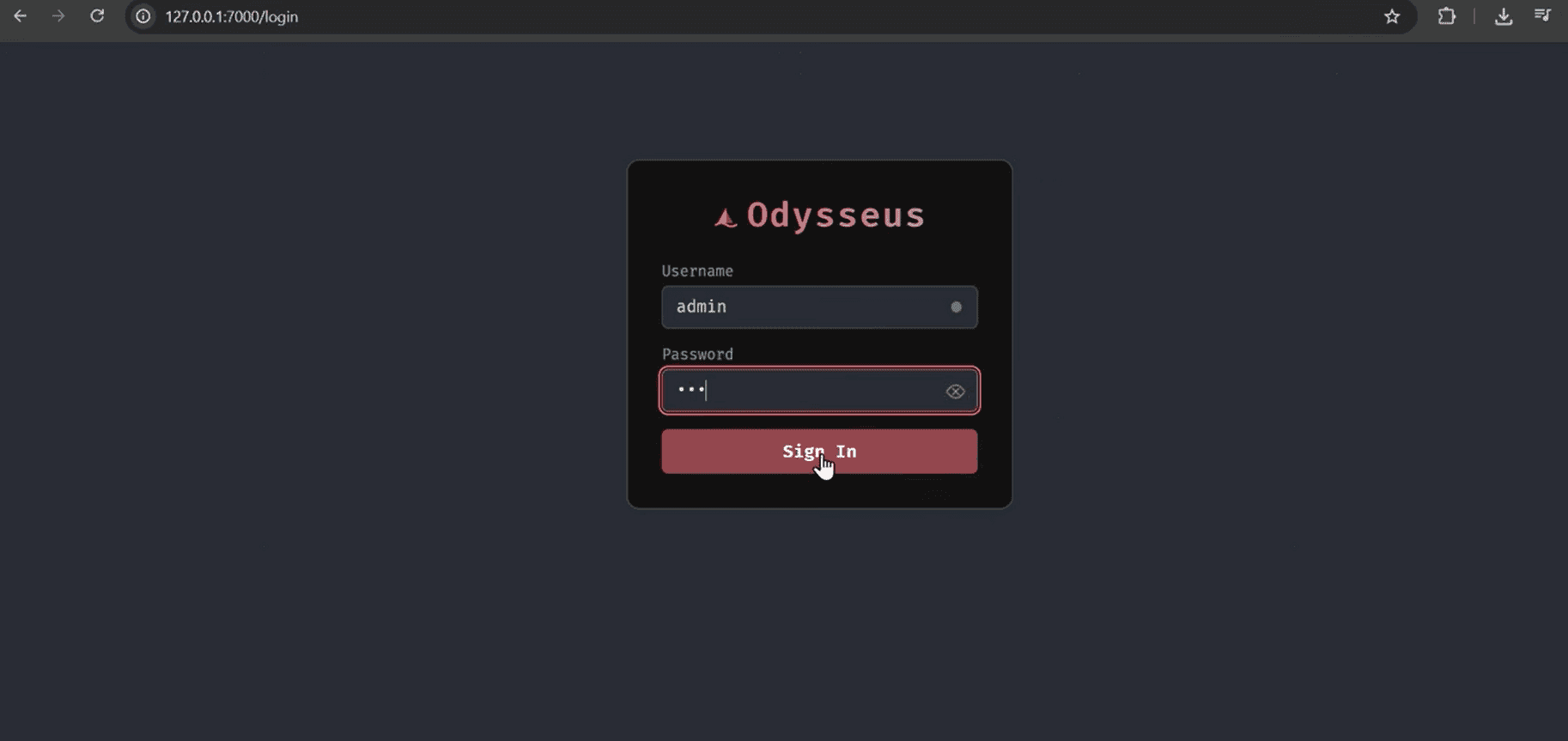
6. Log in
Open http://localhost:7000 in your browser. Username is admin. Password is the one from step 3.
Expected: You see the Odysseus dashboard after signing in.
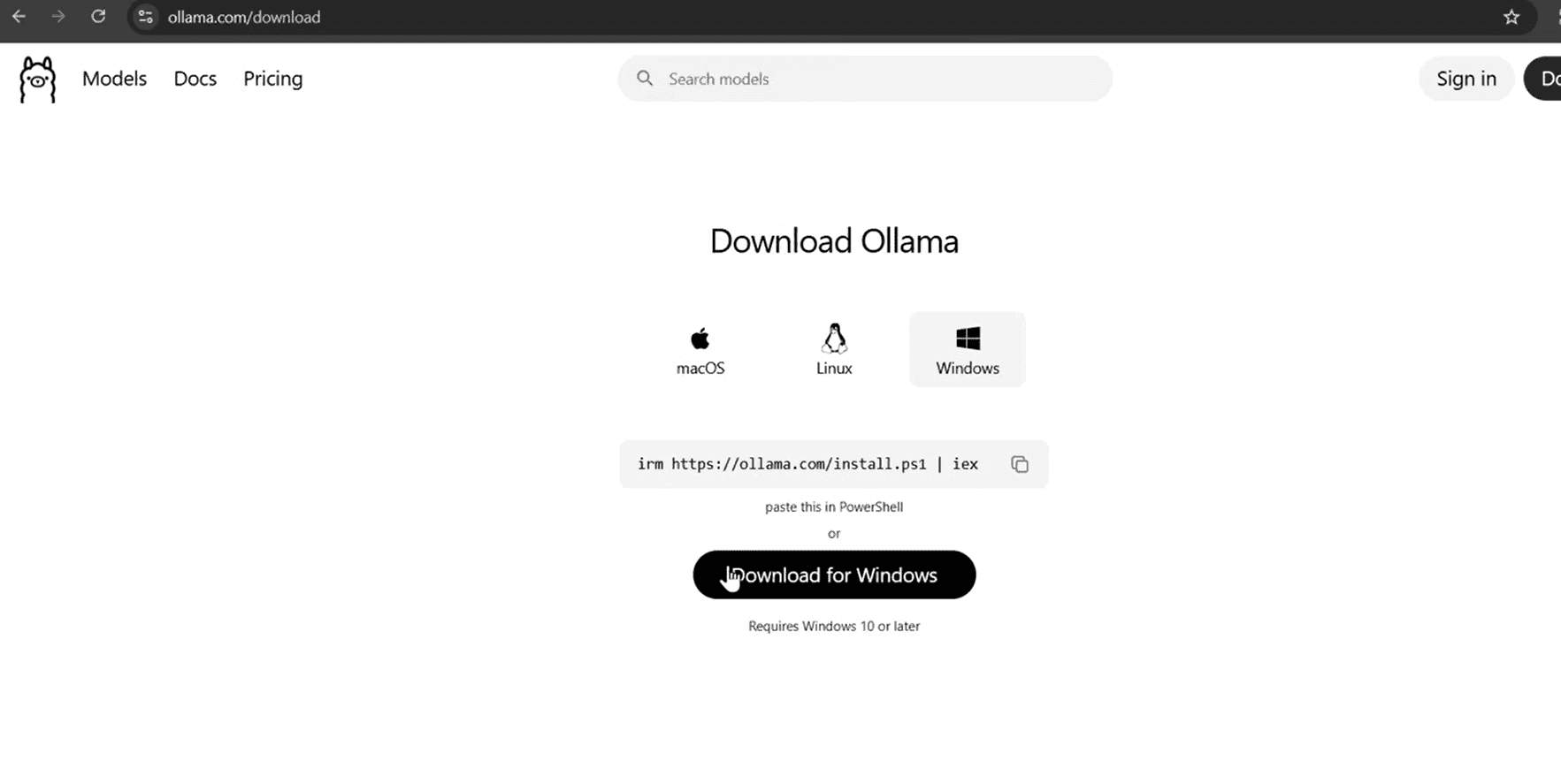
7. Install Ollama
Ollama is the easiest way to run local models on Windows. Download the Windows installer and let it run in the system tray.
Expected: Ollama icon appears in the system tray.
8 GB RAM → start with ~1B models. 16 GB+ → try 3B–7B. 8. Pull a model
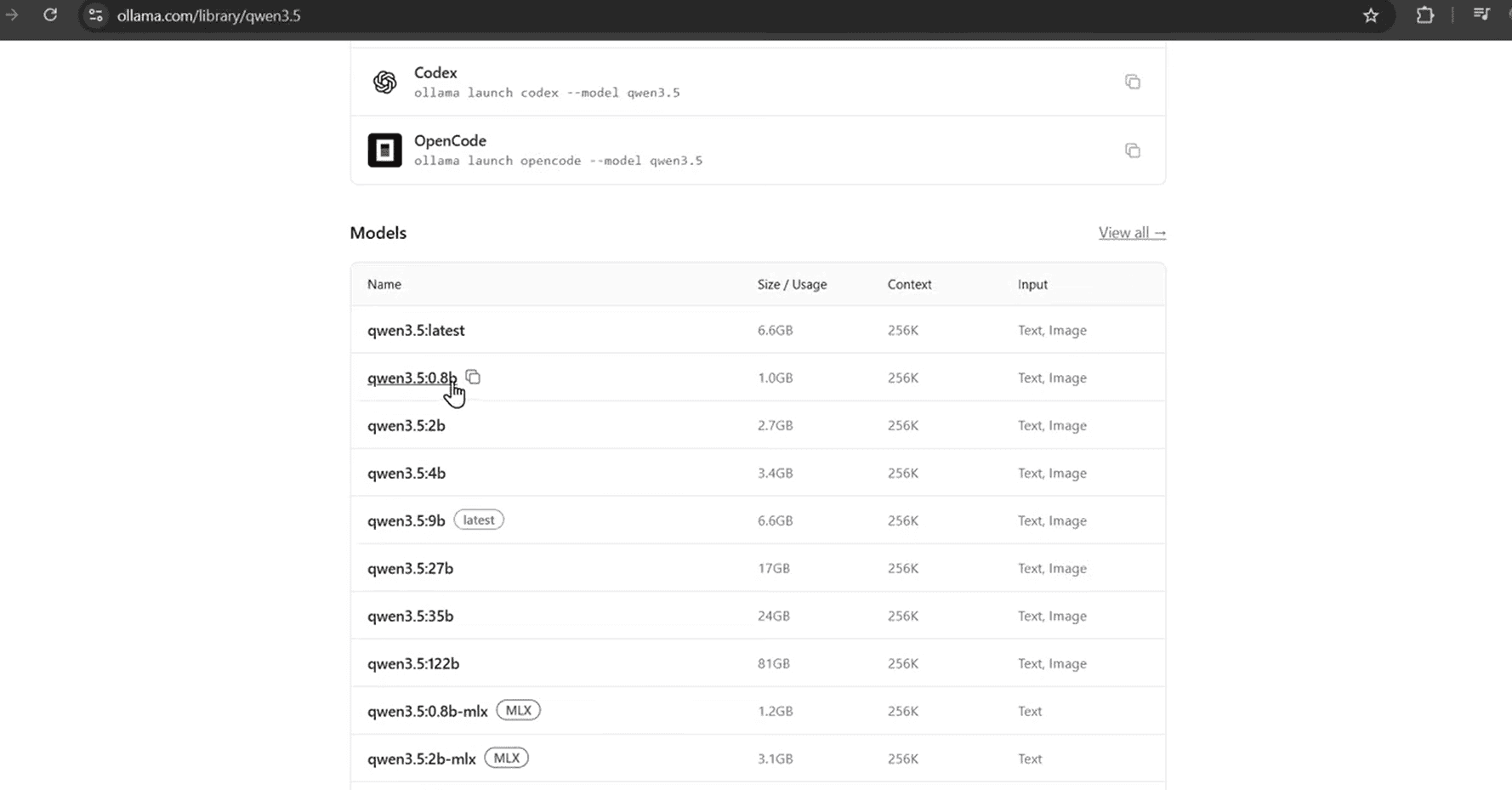
Open a new PowerShell window and pull a small model first. This downloads the model files to your machine.
Expected: ollama list shows your model when done.
terminalollama pull qwen3.5:0.8b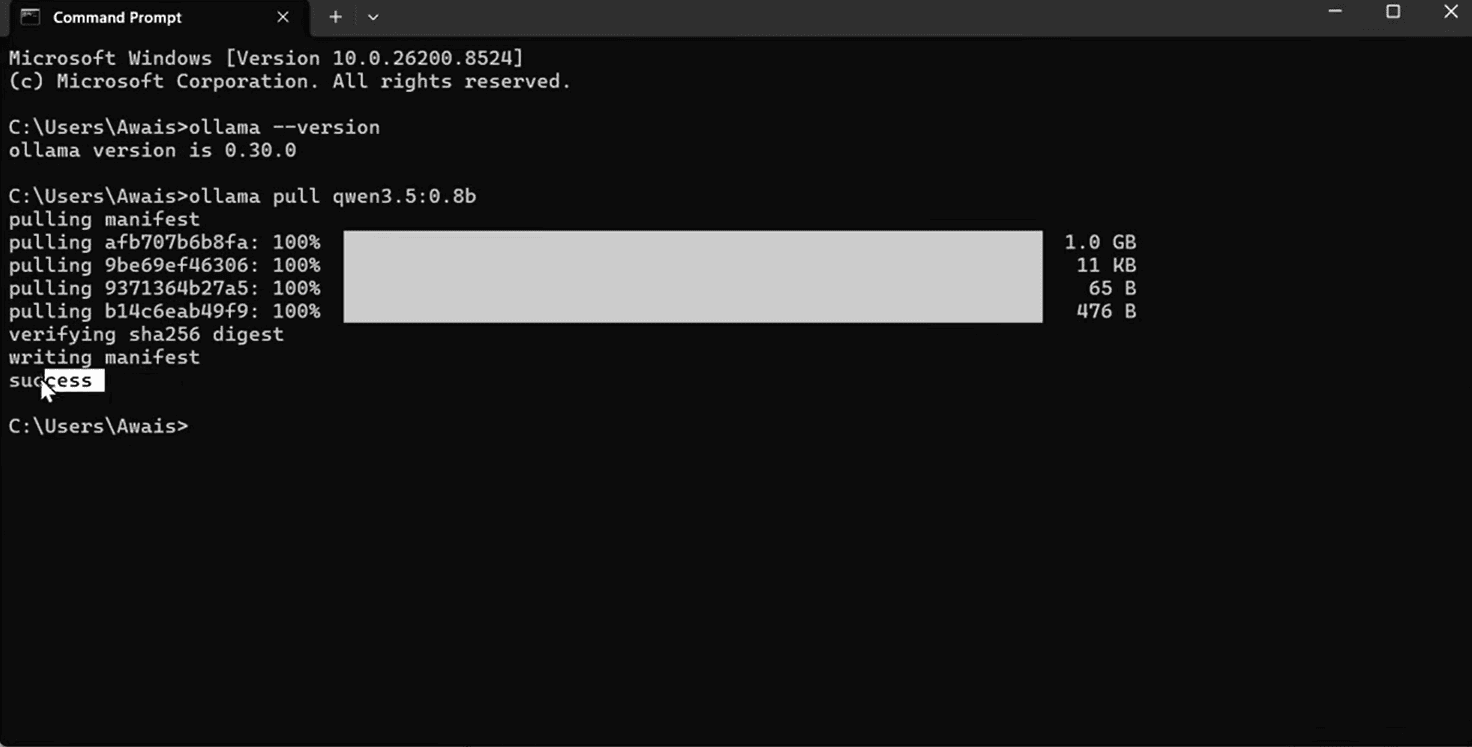
9. Connect Ollama in Settings
In Odysseus, open Settings (gear icon) and add the Ollama endpoint. Keep Ollama running in the background.
Expected: Your pulled model appears in the chat model dropdown.
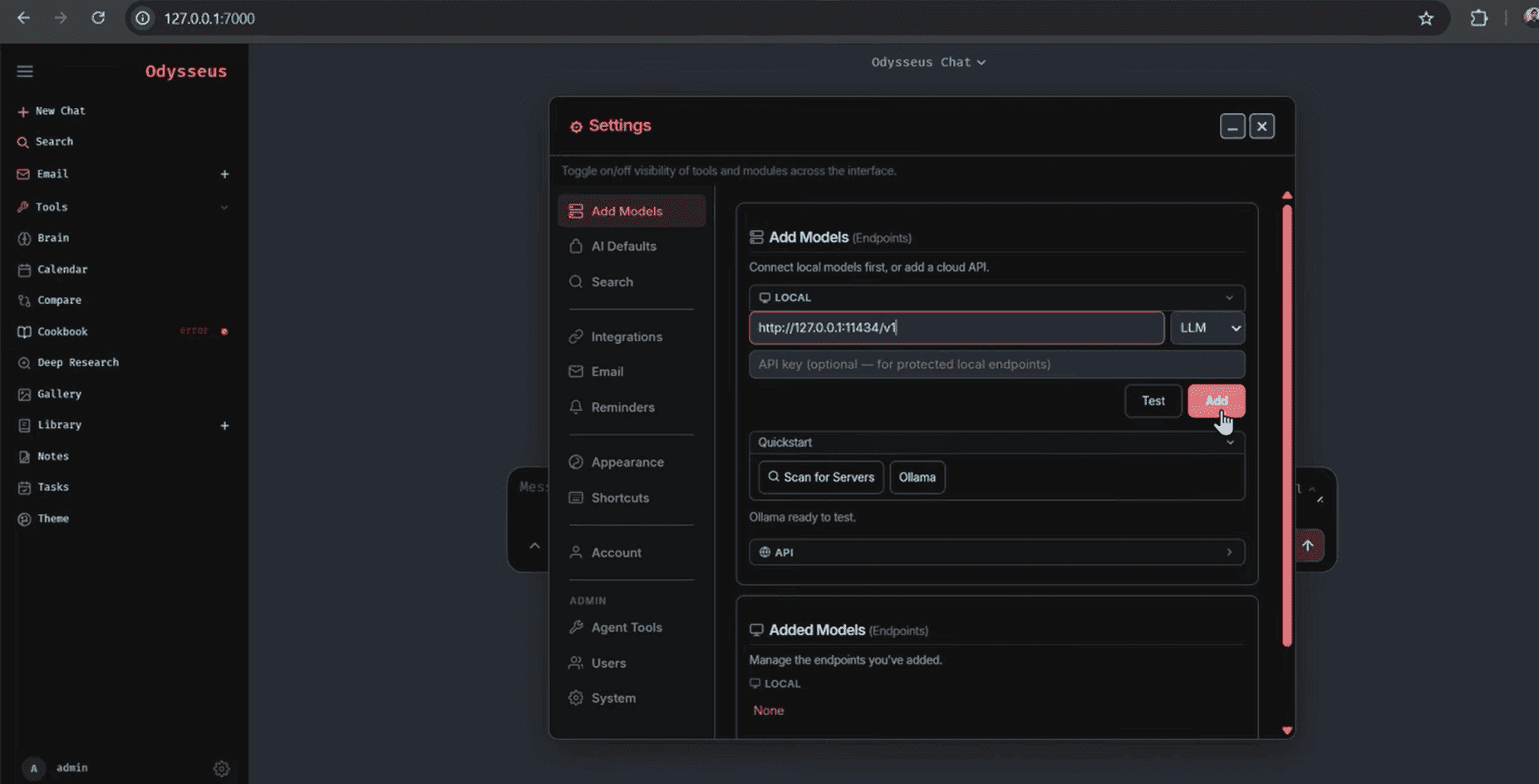
Endpoint: http://localhost:11434/v1 Odysseus in Docker? Use http://host.docker.internal:11434/v1 — see /install/docker
10. Send your first message
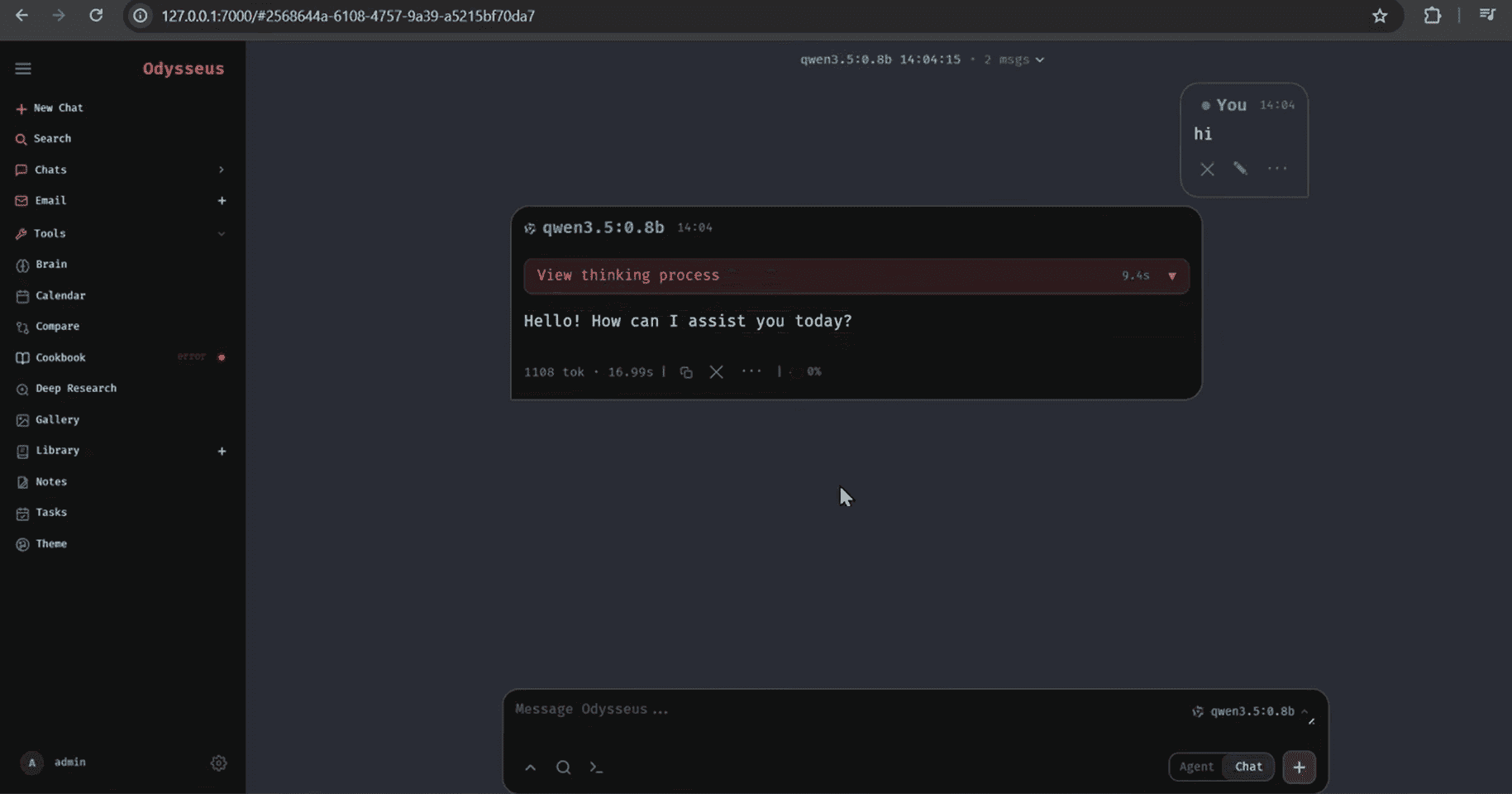
Select your model from the dropdown, type a short message, and confirm you get a reply.
Expected: Chat responds with text from your local model.
Install checklist
- □ http://localhost:7000 opens the login page
- □ Logged in as admin with the password from setup.py
- □ Ollama is running (system tray icon visible)
- □ At least one model pulled (ollama list)
- □ Model appears in Odysseus chat dropdown
- □ First chat message gets a reply
FAQ